Podcast Player
Castbox.FM - Radio & Podcast & AudioBooksNews & Magazines
4.833.58K Reviews
- Version
- 9.17.0-260909124
- Installs
- 10.00M
- Age Rating
- Teen
Screenshots
Our Review of Podcast Player
 Analysis by Appyee
My podcast routine is easiest when I treat discovery, listening, and keeping up with shows as separate jobs. Podcast Player brings those tasks together in one place, which suits me when I want to move from browsing to an episode without juggling several apps. It is a free app in the News & Magazines category, developed by Castbox.FM - Radio & Podcast & AudioBooks, and its mix of podcasts, audiobooks, and radio makes it broader than a basic podcast-only player.
Sleek Design and User-Friendly Interface
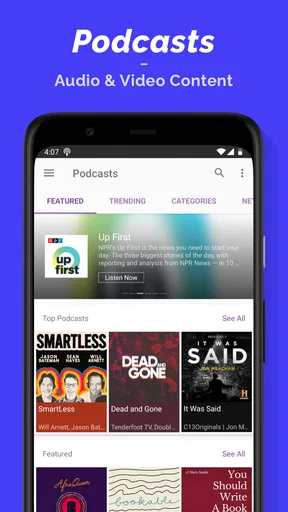
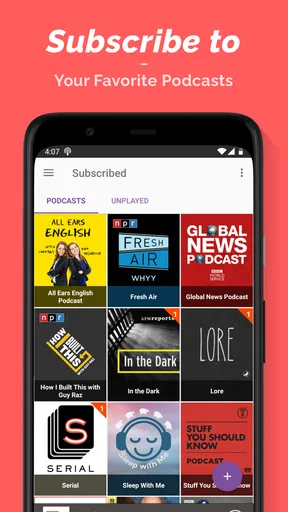
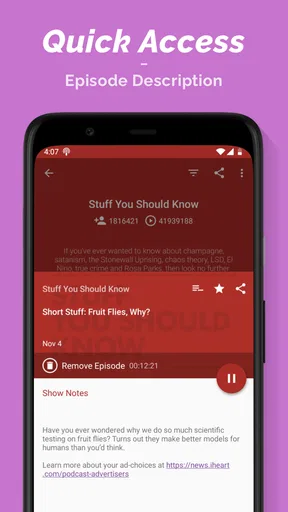
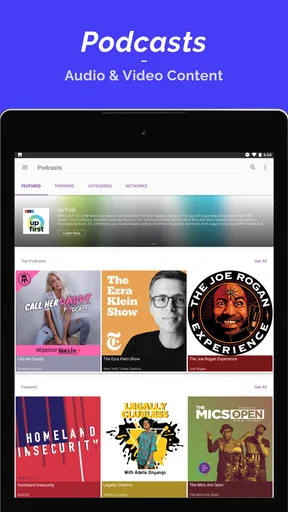
First off, the Podcast Player app has this super clean and modern interface that makes navigating through your favorite shows a breeze. It’s like they read my mind about what a podcast app should look like. The layout is intuitive, with all the essential features right at your fingertips. Trust me, you won't find yourself lost or overwhelmed trying to find your way around.
One thing I really appreciate is how the app categorizes everything neatly. Whether you’re into true crime, comedy, or self-help, you can easily find what you’re looking for. Plus, the search function works like a charm, pulling up exactly what you need without any fuss.
A listening routine that stays manageable
For me, the practical value of a podcast app is less about collecting hundreds of shows and more about making the next episode easy to find. I would start by subscribing only to shows I genuinely expect to revisit, then use search and browsing when I want something new. That small habit helps keep a library from turning into a backlog that feels like homework.
A realistic use is a commute with different kinds of listening on different days: a familiar series when I want to follow a story, a short episode when I have limited time, or radio when I want something less planned. Having podcasts, audiobooks, and radio available in one app can reduce switching, though each format still calls for a different choice. I would not assume that every title I want is available just because the app supports several kinds of audio.
Discovery tools are most useful when I treat them as suggestions rather than a schedule. If a recommendation catches my eye, I can sample the show and decide whether it deserves a subscription; if not, I can return to the episodes I already chose. This is a better fit for curious listeners than for someone who wants a strict, minimal queue and no browsing at all.
Personalized Listening Experience
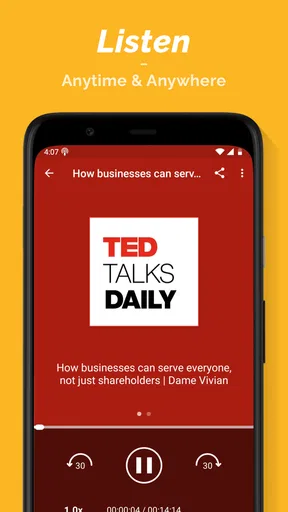
Now, let's talk about customization. The app lets you tailor your listening experience to fit your preferences. You can adjust playback speed, which is a lifesaver if you're trying to power through episodes while commuting or working out. There’s even a sleep timer for those late-night listening sessions that accidentally turn into unplanned naps.
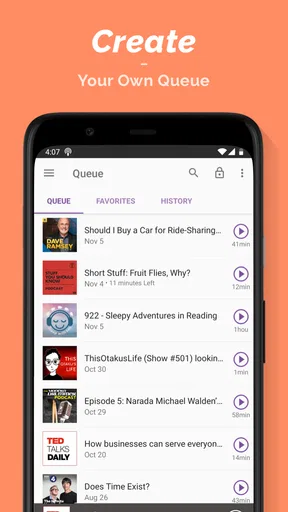
Another cool feature is the ability to create playlists of your favorite episodes. Imagine having a curated list of your top motivational talks or hilarious comedy bits ready to go. It’s like having a personal DJ for your podcast library!
Settings worth checking before settling in
Playback speed is worth setting with the kind of show in mind. I might listen faster to a casual discussion, but a complicated interview or a story with lots of names can become harder to follow when hurried. Instead of choosing one speed for everything, I would adjust it when the format changes and slow back down whenever the conversation starts to feel compressed.
The sleep timer is useful beyond bedtime: it can keep an episode from continuing long after I have stopped paying attention during a quiet break. Playlists also work best when they have a clear purpose, such as episodes for a walk or a few saved items for a long journey. A short, intentional list is easier to use than a second library that I never remember to open.
Before relying on downloads for travel, I would prepare while connected and check that the specific episodes I want are ready to play offline. That simple check matters more than assuming every subscribed show is already stored on the device. It also gives me a chance to choose a manageable batch rather than downloading everything and discovering later that I saved far more than I need.
Offline Listening and Sync Across Devices
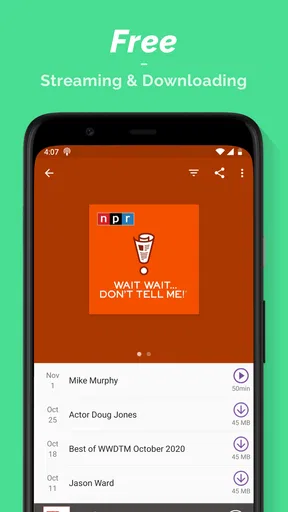
One of my favorite aspects of the app is the offline listening feature. You can download episodes for those times when Wi-Fi is non-existent, like on a plane or out in the boonies. No more data worries or buffering issues — just pure, uninterrupted entertainment.
Plus, syncing across multiple devices is seamless. Start an episode on your phone during your morning jog and pick up right where you left off on your tablet at home. It’s like magic but better because it's real. This kind of flexibility is exactly what busy podcast enthusiasts need.
Faster patterns for busy days
A repeatable routine can make the app more useful than a long list of subscriptions. I would use search when I know the show or subject I want, and browse categories when I am genuinely open to a new choice. When I have a specific listening window, a playlist of selected episodes gives me a ready-made starting point instead of another round of scrolling.
For a week with a mixture of errands and travel, I would pick a few episodes in advance, download the ones I may need offline, and leave discovery for a moment when I have time to explore. That separates preparation from listening: I am not searching while walking out the door, and I am less likely to burn mobile data by forgetting to save an episode. It is a modest workflow, but it makes the app feel more dependable.
Cross-device listening is most valuable when I actually switch devices, not simply because the option exists. If I move from a phone to a tablet, continuing an episode can save the annoyance of finding my place again. If I mostly listen on one device, that benefit matters less, and I would judge the app more on how comfortably I can find and manage episodes there.
Discover New Content Easily
The app doesn’t just stop at playing your usual lineup. It has this nifty feature that suggests new podcasts based on your listening habits. It’s like having a personal podcast sommelier recommending the perfect next listen. I’ve stumbled across some real gems that I probably wouldn’t have found otherwise.
Exploring new shows is made even more exciting with their curated lists and trending sections. You can see what’s hot in the podcast world and join the conversation. It’s a fantastic way to keep your library fresh and exciting.
How it compares with other ways to listen
Compared with a simple player focused only on episodes from shows I already know, this app puts more emphasis on discovery and brings other audio formats into the same listening space. That is appealing if I like to browse and want podcasts, audiobooks, and radio close at hand. A platform tied to a particular music or media ecosystem may suit someone better if they already organize all their listening there and do not want another library to maintain.
There is a trade-off in that broader approach. More ways to browse can make it easier to stumble upon something worthwhile, but they can also tempt me into spending the time I meant to use for listening on choosing what to play. If I want a stripped-back player that does little beyond presenting a known queue, this may feel like more app than I need. If I enjoy exploring, the extra breadth is a genuine advantage rather than clutter.
The app’s audience size suggests it has found many listeners: it has over 10 million installs, with an average rating of 4.8 from around 307,000 ratings. I take that as useful context, not a guarantee that its layout or discovery style will match my habits. Personal preference matters especially here, because the best podcast app is often the one whose library and controls fit the way I already listen.
Ad-Free Option and Subscription Management
If ads aren’t your thing, the app offers an ad-free option through a subscription. It’s totally worth it if you want an uninterrupted listening experience. Plus, managing your subscriptions is straightforward, and there are no hidden fees to worry about. Just pure, clean audio bliss.
One more thing I love is how the app handles premium content. If you’re into supporting creators directly, you can do so right from the app. It’s a win-win for both listeners and creators.
What to weigh before making it your main player
The app is free to install, while in-app purchases are available from $1.99 to $14.99 per item. I would decide whether any paid option is useful only after trying the everyday listening flow; the free starting point makes that a sensible way to judge it. The ad-free option may matter to someone who listens for long stretches, while a casual listener may care more about whether search, playlists, and offline preparation fit naturally into the day.
Listeners should also keep their expectations practical around subscriptions and premium audio. The ability to subscribe to shows or access paid content is useful, but it does not mean every creator or title will use the same arrangement. I would check the details of an individual offering before paying, and avoid treating a subscription as a promise that all listening in the app will be ad-free.
It is rated for Teen audiences, so I would still make content choices based on the person using it rather than treating that rating as a recommendation for every episode. For families, the important habit is to select shows deliberately; a broad catalog can include material intended for different listeners. The app itself is a listening tool, not a substitute for deciding which programs suit a particular household.
The current version is 9.16.1-251202123, and the app requires Android 6.0 or later. Those details are useful if I am checking compatibility on an older device, but a compatible operating system alone does not tell me how the app will feel on every phone. I would install it and test the controls, downloads, and playback on the device I actually use before moving a long-standing routine over.
Who will get the most from it
I would recommend it most to listeners who enjoy finding new shows, want several audio formats together, and make use of playlists or downloads to prepare for different parts of the week. It also makes sense for someone who moves between devices and values resuming an episode without manually finding the spot again. The app rewards a little organization: a few deliberate subscriptions and a useful playlist can make it feel much calmer than an unfiltered stream of recommendations.
On the other hand, I would skip it if I want the simplest possible player, dislike browsing, or already have a reliable setup that keeps all my listening in one place. Someone who mainly uses a dedicated audiobook service may prefer that service’s focused catalog and tools, while someone who listens only to a fixed set of podcasts may not need broad discovery. The right choice depends less on the number of features than on whether I will actually use them.
Final Thoughts
In a nutshell, the app is a capable choice for podcast listeners who want a friendly way to play familiar shows while leaving room to explore. It combines a clean interface with useful listening tools and a wider range of audio than a narrowly focused podcast player. I would not call every extra feature essential, but the mix feels worthwhile if discovery, offline preparation, and cross-device listening are part of my routine.
If you haven’t tried it yet, I recommend starting with a few subscriptions, building one playlist for a real listening situation, and testing downloads before a trip. That gives you a fair sense of whether its broader approach works for you without turning setup into a project. For me, its strongest case is simple: it can make a varied listening habit easier to manage, while still leaving the final choice of what to hear in my hands.
Privacy and Permissions
See what permissions an app requests and how it handles your data.
- Phone
- read phone status and identity
- Photos/Media/Files
- read the contents of your USB storage, modify or delete the contents of your USB storage
- Storage
- read the contents of your USB storage, modify or delete the contents of your USB storage
- Wi-Fi connection information
- view Wi-Fi connections
- Device ID & call information
- read phone status and identity
- Other
- view network connections, pair with Bluetooth devices, disable your screen lock, full network access, control Near Field Communication, run at startup, reorder running apps, control vibration, prevent device from sleeping, install shortcuts, read Google service configuration
Verdict
Strengths of Podcast Player
- User-friendly interface simplifies navigation.
- Wide variety of podcasts available.
- Offline listening for convenience.
- Customizable playback settings.
- Seamless integration with smart devices.
Limitations of Podcast Player
- Occasional bugs cause app crashes.
- Limited search functionality.
- Ads can be intrusive at times.
- Some features require premium upgrade.
- Not all podcasts are updated promptly.
Other Releases by Castbox.FM - Radio & Podcast & AudioBooks
View All
Podcast Player - Castbox
Music & Audio4.7
Similar Picks in This Category
View All
Google News - Daily Headlines
Google LLC4.0

X
X Corp.4.8

Flipboard:Your Social Magazine
Flipboard3.4

Opera News: breaking & local
Opera4.5

Hindi News by Dainik Bhaskar
Dainik Bhaskar Group4.0

Way2News Daily News App
Way2News ( Formerly Way2SMS )4.6
Frequently Asked Questions
What features does the Podcast Player app offer?
The Podcast Player app offers a variety of features including offline listening, customizable playlists, and variable playback speeds. Users can also enjoy a sleep timer, episode search, and personalized recommendations to enhance their listening experience. The app supports both audio and video podcasts, making it versatile for all podcast enthusiasts.
Is the Podcast Player app free to use?
Yes, the Podcast Player app is free to download and use. However, it offers in-app purchases and a premium subscription for additional features like ad-free listening, exclusive content, and enhanced playback controls. Users can choose to upgrade based on their preferences and needs.
How can I import my existing podcast subscriptions?
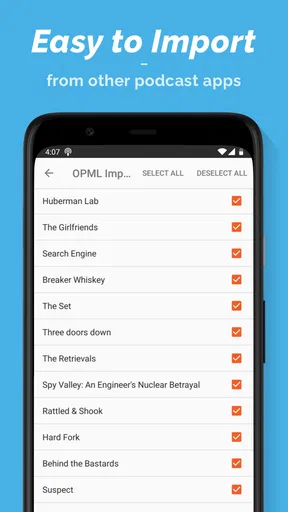
Importing your existing podcast subscriptions into the Podcast Player app is easy. The app supports OPML file imports, allowing you to transfer your subscriptions from other podcast platforms seamlessly. Just export your OPML file from your current app and import it directly into the Podcast Player.
Does the Podcast Player app work offline?
Yes, the Podcast Player app allows users to download episodes for offline listening. This feature is particularly useful for those who want to enjoy their favorite podcasts without an internet connection, such as during commutes or travel. Simply download episodes when connected to Wi-Fi to save data.
Is the Podcast Player app available on both Android and iOS?
Absolutely, the Podcast Player app is available on both Android and iOS platforms. Whether you are using a smartphone or tablet, you can download it from the Google Play Store or Apple App Store. The app ensures a seamless experience across all devices with regular updates and support.
